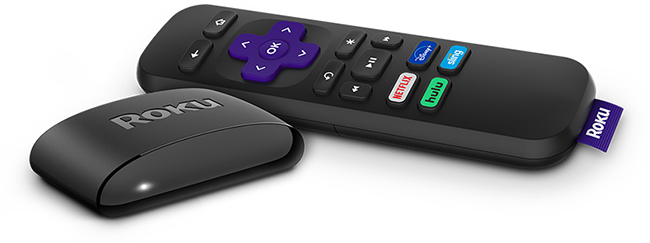
Roku® Express (model 3960) supports video resolutions up to 1080p Full HD and comes with a Roku Simple Remote.
Before you start: Check TV compatibility
- Your TV must have an HDMI® port.
- The Roku Express will work with any TV that has HDMI, but picture quality depends on your TV’s supported resolution.
- Use the High Speed HDMI Cable that came with your Roku Express. You can order additional cables from the Roku accessories store.
Step 1: Connect Roku Express to your TV
- Plug one end of the HDMI cable into your Roku Express and the other into an available HDMI port on your TV.
- (Optional) Use the included adhesive strip to attach your Roku Express to your TV or stand.
Step 2: Connect to power
- Use the USB power cable that came with your Roku Express.
- Plug your Roku player into a USB port on the TV with the included cable to power the device.
- Some TVs may not supply enough power for your Roku player. If you see a “low power” warning, switch to a wall outlet by plugging the USB cable into the Roku Express and connecting it to a wall outlet using the power adapter.
Step 3: Turn on your TV and select input
- Use your TV remote to turn on the TV.
- Press the Input or Source button and choose the HDMI port where your Roku Express is connected.
- You should see the Roku logo appear on your screen.

Note: If you don’t see anything, make sure the HDMI and power connections are secure and that you’ve selected the correct input. Learn what to do if you cannot see the picture from your Roku player.
Step 4: Set up your Roku remote
- Slide open the battery cover and insert the included batteries.
- Follow the on-screen instructions to pair your remote if needed.
Note: If the remote doesn’t work, replace the batteries or restart your Roku player by unplugging it and plugging it back in.
Step 5: Connect to the Internet
- Choose your language.
- Select your wireless network and enter your Wi-Fi password.
- Choose Connect.
- If you have trouble connecting, double-check your password or move your Roku Express closer to your router. Help is available if you cannot connect to the Internet.
Step 6: Install updates
- After connecting, your Roku Express will check for software updates.
- Wait for updates to finish and for your device to restart automatically.
Step 7: Set display type
- Go to Settings > Display type and select Auto detect to match the best resolution for your TV.
Note: Some devices will do this automatically during setup.
Step 8: Activate your Roku device
- Follow the on-screen instructions to activate your Roku player.
- Using your Roku remote, enter your email address using the directional pad and follow the activation instructions
- OR choose the option to Activate with a QR Code and scan the code with your mobile device
- On you phone or tablet, sign in to your existing Roku account or create a free one. Get help if you are having trouble linking your existing account.
- Roku does not charge activation fees. Beware of scams asking for your credit card information.
Start streaming!
Your Roku Express is ready to use.
You can personalize your experience by adding channels, setting a theme, or changing your screensaver in Settings.
Frequently asked questions
Will Roku Express work with any TV?
Yes, as long as your TV has an HDMI port.
Can I power Roku Express from my TV’s USB port?
Some TVs supply enough power, but not all. If you see a warning, plug the Roku Express into a wall outlet using the included power adapter.
What do I do if there’s no picture?
Check the HDMI and power connections, confirm you selected the correct input on your TV, and make sure you’re using the original power cable.
Does Roku Express support 4K?
No. Roku Express supports up to 1080p Full HD.
Note: Roku Express model 3960 replaces Roku Express models 3700, 3900, and 3930. The same steps can be used to set up all models.
Last updated at 3/3/2026 3:23:43 AM
Was this article helpful?
Related articles
Need more help?
