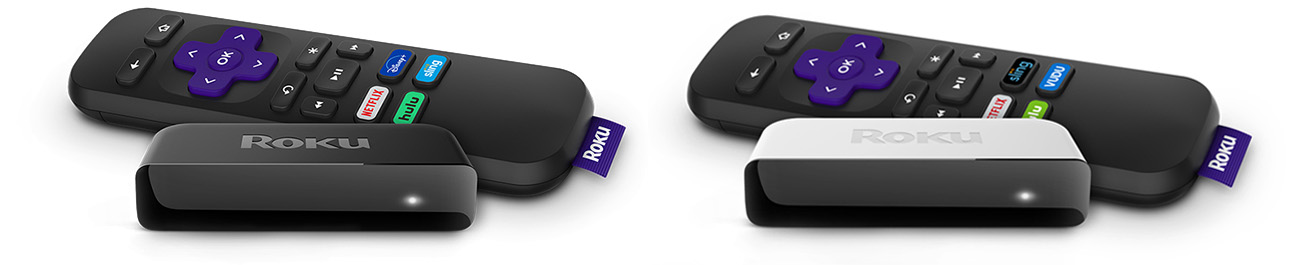
Your Roku® Premiere connects directly to your TV, letting you stream movies and TV shows over the internet with little effort and an exceptional viewing experience. Just attach the included Premium High Speed HDMI® Cable, connect your player to the internet, and complete the easy setup process. You will be enjoying your favorite streaming content in no time.
How do I get started?
To help you with your Roku streaming player, you can review the Roku Premiere Quick Start Guide. You can also browse the list of hand-picked articles at the bottom of the page to learn about a variety of related topics from troubleshooting technical issues, to streaming your favorite content, to personalizing your Roku experience.
Common questions
Check out some of the common questions people ask when setting up a Roku player.
Set up your Roku player
When you are ready, proceed with the simple setup process and activate your Roku player.
Resolve setup issues
Should you run into an issue during setup of your Roku player, you can find help in a variety of technical articles.
Setup
- What should I do if my Roku player will not power on?
- What should I do if the red light is flashing or I see a "low-power" warning?
- How do I resolve an issue when activating or linking my Roku player?
- What should I do if the red light is on or I see a “Your device is overheating” warning?
- Why does my Roku player restart every time I turn on my TV?
- How do I factory reset my Roku player?
Network
Picture and sound
- What should I do if I cannot see the picture on my TV?
- What should I do if I do not hear the sound?
- What should I do if I see a “HDCP Error Detected” message?
- Why is HDCP 2.2 important to playing 4K Ultra HD or HDR content?
- How do I resolve playback issues?
Remote control
Watch your favorite content
After your Roku player is set up and linked to your Roku account, it is time to start streaming the latest blockbuster movies, popular TV shows, and more.
Learn about Roku features
The Roku OS offers a number of great features to help you get the most from your Roku player and enjoy your streaming experience to the fullest.
Personalize your experience
Once you are comfortable using your player to stream your favorite content, you can create a personalized Roku experience just for you.
Get the Roku mobile app
A great companion for your Roku experience is the free Roku mobile app for iOS® and Android™. You can use it to search and control your Roku device with your voice, connect headphones for Headphone Mode, share personal photos and video on your TV screen, watch The Roku Channel on the go, and much more.
Last updated at 9/14/2026 3:53:56 PM
Was this article helpful?
Related articles
Need more help?

Chat with us
Get help from our support bot or connect to an advisor.
Available daily 4 am-10 pm PT