The Roku App lets you watch free live TV, Roku Originals, and Roku Subscriptions on Google TV, on your phone or tablet, and on the web. All without needing a Roku streaming player or Roku TV.
What is the Roku App?
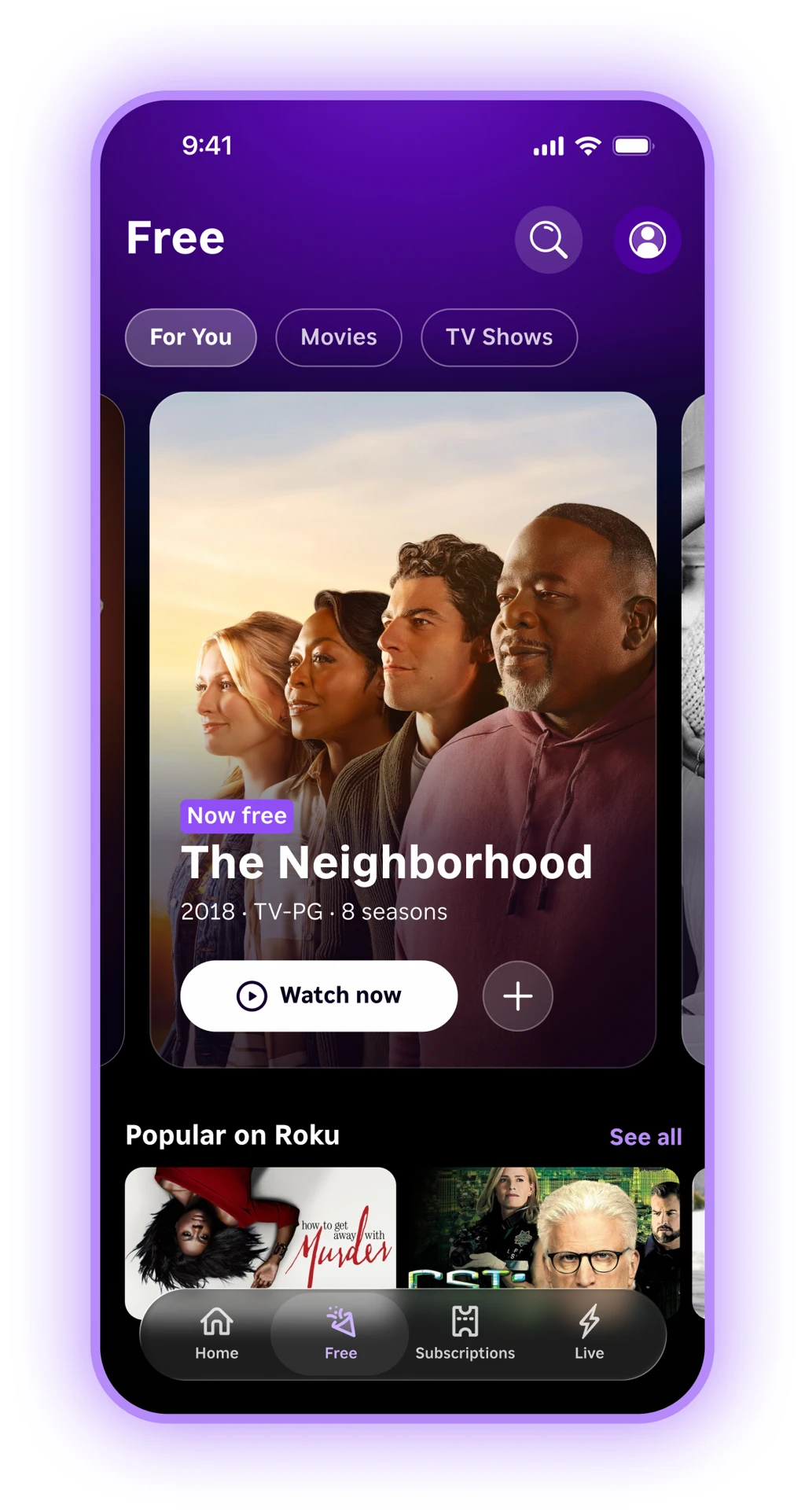
The Roku App is Roku's streaming app for watching Roku shows, movies, subscriptions, and live TV on devices that are not Roku. In the Roku App you can browse and watch:
- Roku Free TV, which features free live TV channels, movies, and TV shows (ad-supported)
- Roku Originals
- Roku Subscriptions (premium streaming services like HBO Max, Paramount+, and Apple TV)
The Roku App is built for a content-first experience. This does NOT include services that are not billed though Roku (i.e. Netflix, YouTube TV, Amazon Prime). For accessing your subscriptions for services outside of Roku Subscriptions, use the apps provided by those services directly. On Google TV, those services stay available as their own apps from the Google TV home screen.
The Roku App is different from the Roku Remote mobile app (used to control a Roku TV or player).
How to download the Roku App
At launch, the Roku App is available in the United States on:
Google TV (smart TVs and streaming devices that use Google TV)
Mobile (Android and iPhone)
Web
How to find it:
- On Google TV, open the Google Play Store on your TV, search for Roku or Roku App, then install the app.
- On iPhone or iPad, open the App Store and search for Roku App.
- On Android, open Google Play and search for Roku App.
- On web, go to app.roku.com and sign in or start watching.
Do I need a Roku device to use the Roku App?
No. You do not need a Roku streaming player or a Roku TV to use the Roku App.
You can use the Roku App on a Google TV device, on your phone or tablet, or on the web.
Do I need a Roku account to use the Roku App?
No. You can browse and watch free content in the Roku App without signing in.
Creating or signing in with your free Roku account is recommended because it lets you:
- Resume shows across devices (Continue Watching)
- Keep preferences and personalized recommendations
- Sign up for Roku Subscriptions
- Manage subscriptions on my.roku.com
On Google TV:
You may see a sign-in reminder when you open the Roku App or after you start watching. You can dismiss the reminder and keep watching free content.
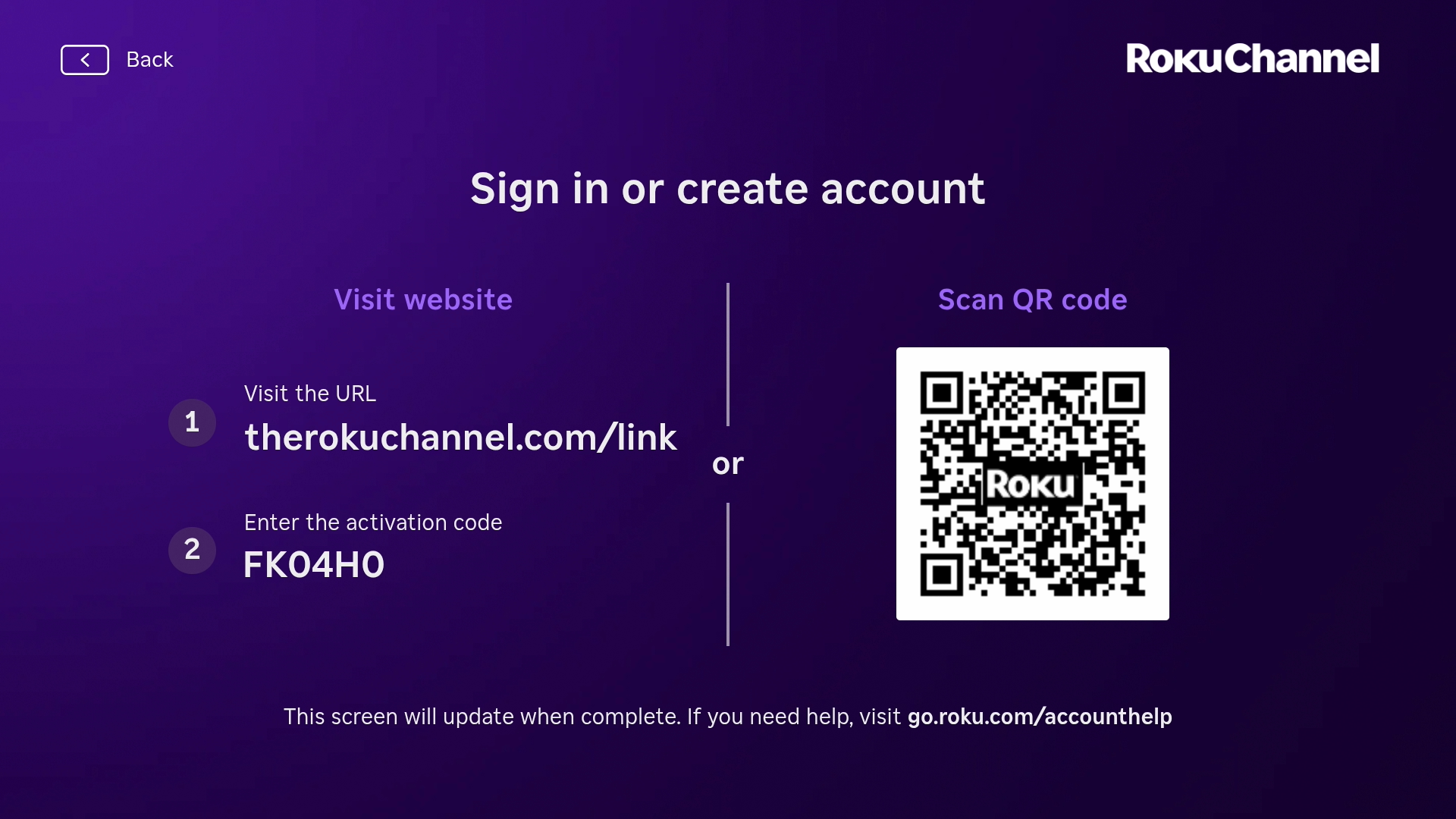
To sign in on Google TV:
Open the Roku App
Choose Sign in or Create account when prompted (or find Sign in in Settings / account)
Scan the QR code with your phone, or open the on-screen web address
Finish sign-in or account creation on your phone or computer
Wait for the TV to update automatically after you finish
How is the Roku App different from the Roku Remote app?
They are two different mobile apps:
If you mainly want to use your phone as a remote for a Roku device, use the Roku Remote app.
If you want to watch Roku shows and live TV on your Google device, phone, or web, use the Roku App.
Is the Roku App free?
Yes. Downloading and using the Roku App is free. You can watch free, ad-supported movies, TV shows, and live TV channels at no cost.
Optional Roku Subscriptions cost money if you choose to add them. You only pay when you sign up for a paid subscription or another paid offer.
What can I watch on the Roku App?
In the Roku App you can watch:
- Free on-demand ad-supported movies and TV shows
- Free live TV channels
- Roku Originals
- Content included with any Roku Subscriptions on your Roku account
You will not find Netflix, Hulu, Disney+, YouTube, and some other third-party streaming apps in the Roku App. On Google TV, open those apps from your Google TV home screen or app list.
Also searched as: Roku live TV Google TV, free movies Roku App, Roku Originals on phone.
How do I sign in to my Roku Account in the Roku App on my phone?
If you already use a Roku player or Roku TV, sign in with the same Roku account so your subscriptions and watch history stay together.
Open the Roku App on your iPhone, iPad, or Android device
Tap Sign in or Create account
Enter your Roku account email and password, or create a free account
After you sign in, your Continue Watching list and Roku Subscriptions follow that account
If you are already signed in to the Roku remote app you will be logged in automatically to the Roku App
Why don't I see some of my subscriptions in the Roku App?
Common causes:
- You bought the service in the service's own app or website, not as a Roku Subscription.
- You are signed in to a different Roku account than the one that has the subscription.
- The purchase just finished and the TV has not refreshed yet. Close and reopen the Roku App.
- The title or plan is not offered as a Roku Subscription in the Roku App.
What to try:
In the Roku App, open account or settings and confirm the email address
On a phone or computer, go to my.roku.com/subscriptions and confirm the subscription is active on that same account
Sign out of the Roku App, sign back in with the account that shows the subscription, then reopen the title
Related articles
Last updated on 11/10/2026 3:05:10 PM
Was this article helpful?
Need more help?