Lorsque vous configurez votre lecteur de streaming Roku® ou votre Roku TV™, on vous invitera à vous connecter à Internet par Wi-Fi ou à l’aide d’un câble Ethernet. Votre appareil doit être connecté à Internet pour diffuser vos émissions et vos films préférés, ainsi que pour recevoir les mises à jour. Si vous avez besoin d’aide, consultez ce guide pour résoudre les problèmes de connexion réseau. Si vous rencontrez des difficultés pour connecter un appareil de maison intelligente Roku, consultez ce guide pour résoudre les problèmes hors ligne.
Comment connecter votre lecteur de streaming Roku lors de la configuration
Lorsque vous allumerez votre téléviseur ou votre lecteur pour la première fois, le système vous demandera de vous connecter à Internet. Après la configuration, vous pourrez utiliser votre appareil sans Internet, mais uniquement pour regarder du contenu par HDMI, câble ou diffusion hertzienne.
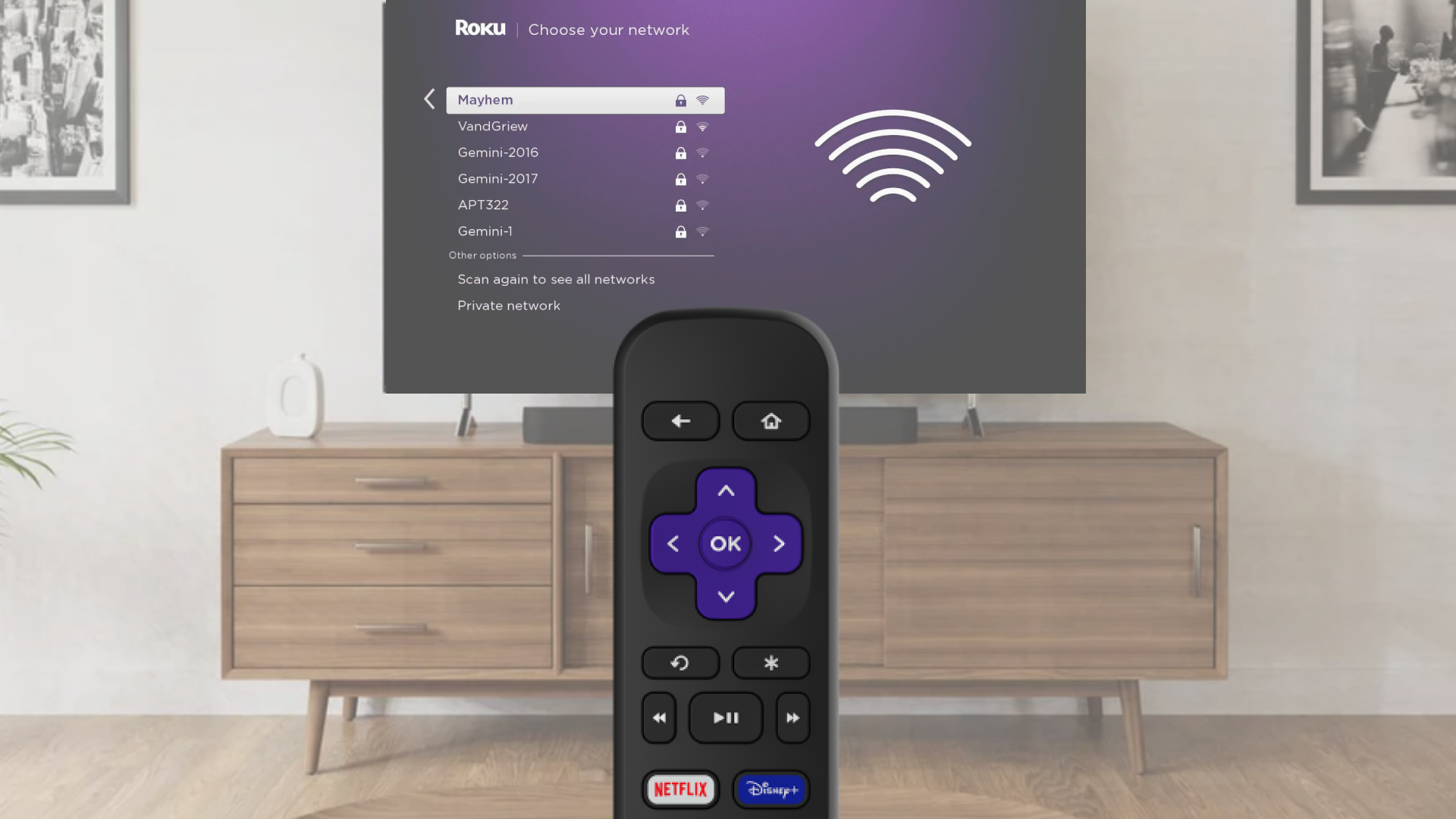
Choose Wi-Fi and connect
- Select Wireless when asked
- Pick your Wi-Fi network from the list
- If your network is missing, choose Scan again
- Enter your Wi-Fi password (it is case-sensitive)
- Tap Connect and finish following the on-screen steps
Use an Ethernet cable for a wired connection (Optional)
- Plug one end of an Ethernet cable into your TV or player
- Plug the other end into your router or modem
- On screen, choose Wired
- Follow the steps to complete setup
Change your network anytime
If you want to connect to a different Wi-Fi network or switch to wired:
- Press the Home button on your Roku remote
- Go to Settings > Network > Set up connection
- Choose Wired or Wireless
- If using Wi-Fi, pick your network and enter the password
- Your device will connect and show your network info
- If you do not see your Wi-Fi network, select Scan again to see all networks
Use a mobile hotspot if needed
No Wi-Fi available? Try using your phone’s hotspot:
- Turn on the hotspot from your phone’s settings
- On your Roku device, select Wireless
- Choose your wireless network from the list of available Wi-Fi networks
- If you do not see your network, select Scan again to see all networks
- Enter your network password
- Select Connect
- Follow the on-screen instructions to complete the rest of the set up process

Note: Some Roku players support a wired Ethernet connection with a USB adapter.
Note: Hotspots use mobile data, and streaming or updates can use a lot. Check with your wireless provider for data limits.
Dernière révision le 7/9/2026 3:19:16 PM
Cet article vous a-t-il aidé?
Articles connexes
Besoin de plus d’aide?

Assistance de nos agents
Nous offrons une assistance par un agent pour certains problèmes et appareils.
Consulter les options d’assistance