Cuando configures tu reproductor de streaming Roku® o Roku TV™, se te pedirá que te conectes a internet mediante wifi o un cable Ethernet. Deberás conectarte a internet para reproducir por streaming tus programas y películas favoritos y obtener actualizaciones. Si necesitas ayuda, consulta cómo solucionar problemas de conexión de red. Si tienes problemas para conectar un dispositivo Roku Smart Home, consulta cómo solucionar problemas sin conexión.
Cómo conectar tu dispositivo de streaming Roku durante la configuración
Cuando enciendas la TV o el reproductor por primera vez, se te pedirá que te conectes a internet. Después de la configuración, podrás usar tu dispositivo sin conexión, pero solo para HDMI, cable o transmisiones de señal de aire.
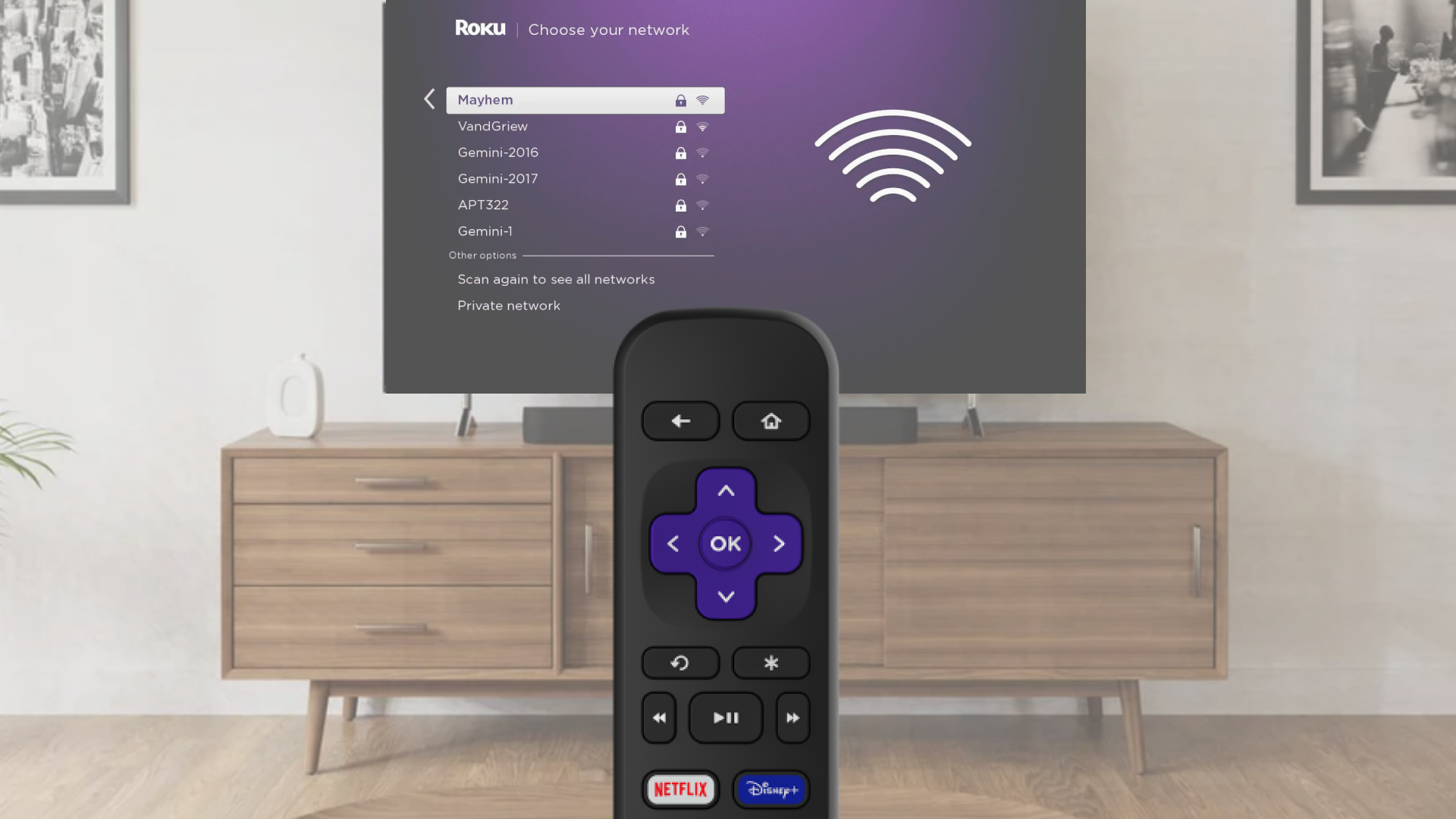
Choose Wi-Fi and connect
- Select Wireless when asked
- Pick your Wi-Fi network from the list
- If your network is missing, choose Scan again
- Enter your Wi-Fi password (it is case-sensitive)
- Tap Connect and finish following the on-screen steps
Use an Ethernet cable for a wired connection (Optional)
- Plug one end of an Ethernet cable into your TV or player
- Plug the other end into your router or modem
- On screen, choose Wired
- Follow the steps to complete setup
Change your network anytime
If you want to connect to a different Wi-Fi network or switch to wired:
- Press the Home button on your Roku remote
- Go to Settings > Network > Set up connection
- Choose Wired or Wireless
- If using Wi-Fi, pick your network and enter the password
- Your device will connect and show your network info
- If you do not see your Wi-Fi network, select Scan again to see all networks
Use a mobile hotspot if needed
No Wi-Fi available? Try using your phone’s hotspot:
- Turn on the hotspot from your phone’s settings
- On your Roku device, select Wireless
- Choose your wireless network from the list of available Wi-Fi networks
- If you do not see your network, select Scan again to see all networks
- Enter your network password
- Select Connect
- Follow the on-screen instructions to complete the rest of the set up process

Note: Some Roku players support a wired Ethernet connection with a USB adapter.
Note: Hotspots use mobile data, and streaming or updates can use a lot. Check with your wireless provider for data limits.
Última actualización a las 7/9/2026 3:19:23 PM
¿Fue útil este artículo?
Artículos relacionados
¿Necesitas más ayuda?

Soporte técnico con agentes
Ofrecemos soporte técnico con agentes para ciertos problemas y dispositivos.
Consulta las opciones de soporte técnico