Con resolución 4K y HDR (alto rango dinámico), las películas y los programas se ven mejor con colores más brillantes y un mayor detalle. Hay diferentes tipos de HDR, como HDR10, HDR10+, Dolby Vision™ y HLG. No todos los reproductores Roku o TV admiten cada uno de los formatos de HDR, por lo que es importante comprobar tus dispositivos primero. Esta guía te indicará todo lo que necesitas para configurar correctamente tu reproductor Roku y TV, así podrás comenzar a disfrutar de una mejor calidad de imagen.
Qué necesitas para una imagen HDR y 4K
- Una TV 4K HDR que tenga un puerto HDMI 2.0 y que admita HDCP 2.2.
- Un reproductor Roku que admita 4K y HDR.
- Un cable HDMI® de alta velocidad prémium (a menos que se use un Roku Streaming Stick, que se conecta directamente a la TV).
- Contenido 4K HDR de un servicio de streaming compatible (busca el logotipo de 4K o HDR).
Configurar las conexiones de audio y video
Todos los dispositivos conectados, como tu TV, barra de sonido o receptor, deben admitir HDMI 2.0 y HDCP 2.2, o el 4K HDR no funcionará. Comprueba lo siguiente en tu TV y dispositivos:
- Confirma que tus otros dispositivos admitan HDMI 2.0. Si tienes dudas, comunícate con el fabricante.
- Comprueba si las entradas de la TV admiten HDCP 2.2. Si necesitas ayuda, consulta el manual de la TV o comunícate con el fabricante.
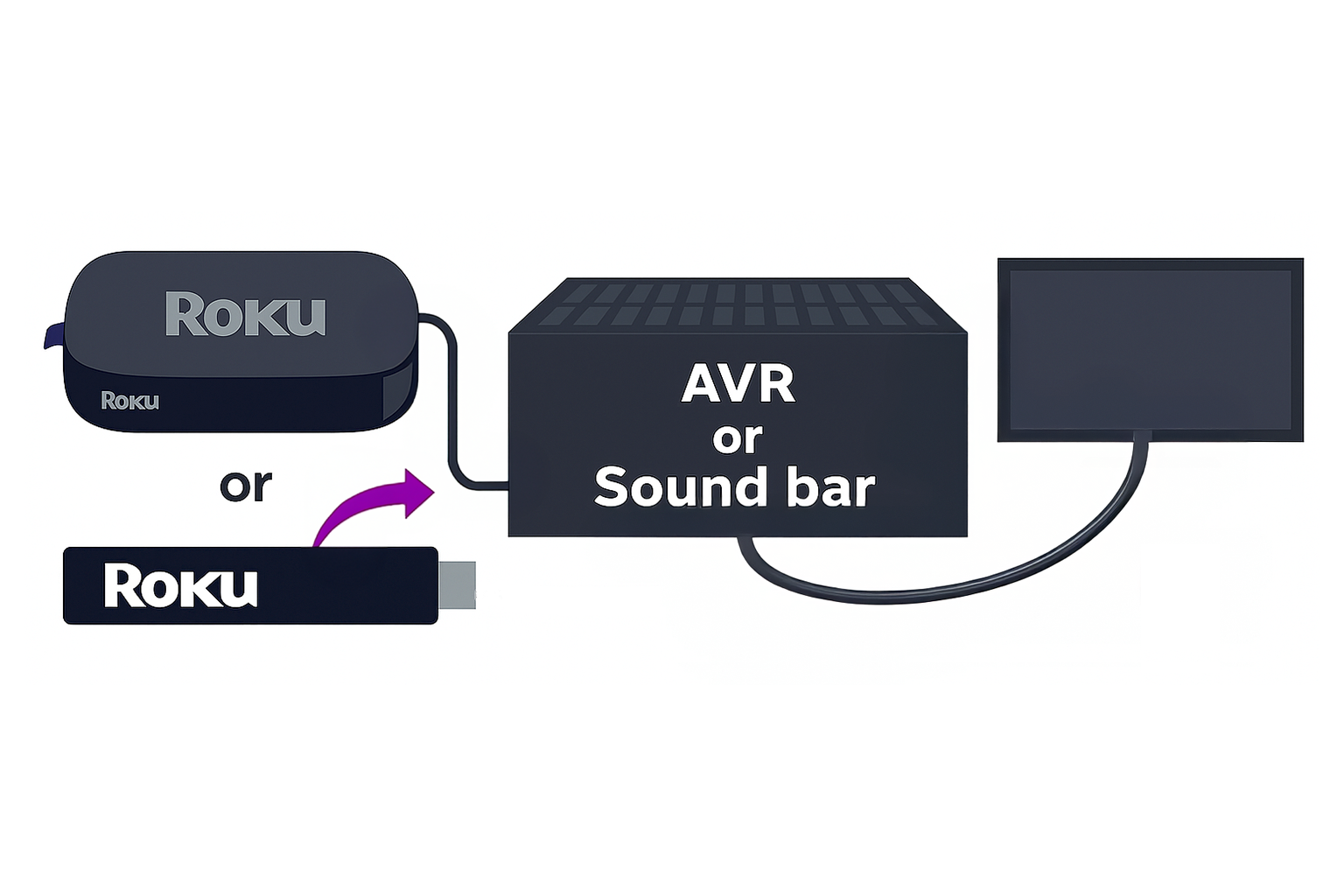
Conectarse a través de una barra de sonido o AVR
- Connect your Roku player to the HDMI input on your soundbar/AVR that supports HDMI 2.0 & HDCP 2.2
- Connect soundbar/AVR to your TV using a premium high speed HDMI cable
¿Por qué la calidad de imagen de mi TV aún no es 4K o HDR?
Comprueba lo siguiente en caso de que la calidad de la imagen no mejore:
- Configuración de HDMI en la TV: algunas TV necesitan que las opciones 4K y HDR estén activadas para cada puerto HDMI. Comunícate con el fabricante para obtener ayuda.
- Comprueba la compatibilidad de los dispositivos: todos los dispositivos en la configuración (TV, dispositivo Roku, barra de sonido u otros dispositivos) deben admitir HDMI 2.0 y HDCP 2.2.
- Actualización del software: asegúrate de que el software de la TV esté actualizado.
- Comprueba si la película o el programa está en 4K o HDR: solo ciertos programas están en 4K y HDR, incluso si tu servicio de streaming lo admite. Comprueba si están los logotipos correspondientes en la app de streaming.
- Prueba un cable diferente: asegúrate de que el cable HDMI sea prémium de alta velocidad.
Resolución de problemas adicional
- Reinicia tu reproductor Roku: ve a Configuración > Sistema > Energía eléctrica > Reinicio del sistema para restablecer el reproductor.
- Prueba una configuración de pantalla diferente: si ves una imagen gris o tienes problemas con la pantalla, ve a Configuración > Tipo de pantalla y cambia de 4K HDR a 4K o 1080p.
Last updated at 9/6/2026 3:13:43 AM
¿Te resultó útil este artículo?
Artículos relacionados
¿Necesitas más ayuda?

Soporte técnico con agentes
Ofrecemos soporte técnico con agentes para ciertos problemas y dispositivos.
Consulta las opciones de soporte técnico