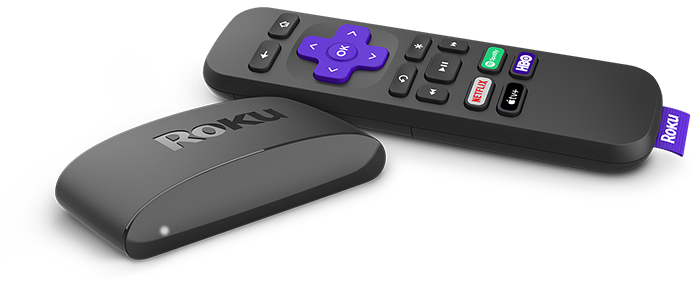
Tu Roku® Express 4K se conecta directamente a tu TV, lo que te permite hacer streaming de películas y programas de TV desde Internet fácilmente. Solo conecta el cable HDMI ® Premium de alta velocidad que viene incluido, conecta el reproductor a Internet y completa el sencillo proceso de configuración. Disfrutarás de tu contenido favorito por streaming en un santiamén.
¿Cómo comienzo?
Si necesitas ayuda con tu reproductor de streamingRoku, puedes consultar la Guía de inicio rápido y explorar la lista de artículos seleccionados que se encuentra al final de la página para obtener información sobre una variedad de temas relacionados, desde cómo resolver problemas técnicos hasta cómo reproducir tu contenido favorito por streaming o cómo personalizar tu experienciaRoku.
Guía de inicio rápido
Preguntas frecuentes
Consulta algunas de las preguntas frecuentes que la gente hizo al configurar un reproductor Roku.
Configurar tu reproductor Roku
Cuando estés listo, continúa con el sencillo proceso de configuración y activación de tu reproductor Roku.
Solucionar problemas de configuración
Si te encuentras con algún problema durante la configuración de tu reproductor Roku, puedes encontrar ayuda en diversos artículos técnicos.
Configuración
- ¿Qué debo hacer si mi reproductor Roku no se enciende?
- ¿Qué debo hacer si la luz roja parpadea o veo una advertencia de “carga baja”?
- ¿Cómo resuelvo un problema al activar o vincular mi reproductor Roku?
- ¿Qué debo hacer si la luz roja está encendida o veo la advertencia “Tu dispositivo se está sobrecalentando”?
- ¿Por qué mi reproductor Roku se reinicia cada vez que enciendo la TV?
- ¿Cómo restablezco los parámetros de fábrica en mi reproductor Roku?
Red
- ¿Cómo uso el USB para conectar mi dispositivo de streaming Roku a una red con cable?
- ¿Qué debo hacer si mi reproductor Roku no puede conectarse a mi red inalámbrica?
Imagen y sonido
- ¿Por qué el HDCP2.2 es importante para reproducir contenido 4K Ultra HD o HDR?
- ¿Qué debo hacer si no veo la imagen en la TV?
- ¿Qué debo hacer si no escucho el sonido?
- ¿Qué debo hacer si veo el mensaje “Error de HDCP detectado”?
Control remoto
Mira tu contenido favorito
Después de que hayas configurado tu reproductor Roku y lo hayas vinculado a tu cuenta Roku, es hora de comenzar a hacer streaming de las películas taquilleras más recientes, programas de TV populares y mucho más.
Aprende sobre las funciones de Roku
El Roku OS ofrecer una cantidad de funciones geniales para sacarle el mayor provecho a tu reproductor Roku y disfrutar al máximo de la mejor experiencia de streaming.
Personaliza tu experiencia
Cuando ya te sientas cómodo usando tu reproductor Roku para hacer streaming de tu contenido favorito, puedes crear una experiencia Roku personalizada solo para ti.
Obtén la app móvil deRoku
La app móvil de Roku gratuita para iOS® y Android™ es una compañía ideal para tu experienciaRoku. Puedes usarla para buscar y controlar tu dispositivoRoku con la voz, conectar auriculares para usar el Modo auricular, compartir fotos y videos personales en la pantalla de tu TV, y mucho más.
Last updated at 9/8/2026 3:09:16 AM
¿Te resultó útil este artículo?
Artículos relacionados
¿Necesitas más ayuda?

Soporte técnico con agentes
Ofrecemos soporte técnico con agentes para ciertos problemas y dispositivos.
Consulta las opciones de soporte técnico