To manage or cancel your subscription to Howdy, the streaming service by Roku, follow these steps.
Manage or cancel your Howdy subscription on the Roku website
Go to my.roku.com/subscriptions.
Under Active subscriptions, select the Howdy subscription.
Select Manage subscription and then select Turn off auto-renew to cancel.
When you cancel your subscription, you'll still have access until your current billing cycle ends.
Manage or cancel your Howdy subscription on your Roku device
Press the Home
 button on your Roku remote.
- Use your remote's arrow buttons to highlight the Howdy app.
Press the Star
 button on your remote.
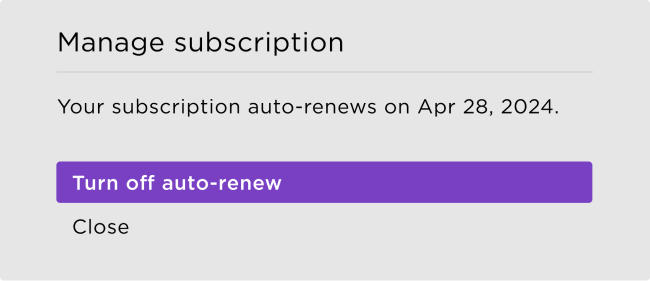
- Select Manage subscription to view the renewal date and access more options.
To cancel a subscription, select Turn off auto-renew. Your subscription will be active until the end of the billing cycle.
Manage or cancel your Howdy subscription through Amazon Prime
Update or cancel your Howdy subscription directly through your Prime account.
Is my Howdy subscription through Roku or Amazon Prime?
If you subscribed to Howdy through Amazon Prime Video Channels, the charge will appear on your bill as “Amazon - $2.99.“
More resources
If you have more questions about your Howdy subscription or other charges, check out these resources for help:
Last updated at 5/22/2026 6:15:06 PM
Was this article helpful?
Related articles
Need more help?
