Watch your Roku Subscriptions by signing in. Select User icon  to sign in.
Watch your Roku Subscriptions in the Roku App on your computer, phone, tablet, or Google TV. Sign in with your Roku account email and password.
- On your computer: Go to app.roku.com and select the user icon to sign in.
- On your iPhone, iPad, or Android phone or tablet: Download the Roku App, open it, and sign in.
- On Google TV: Open the Roku App and select Sign in or Create Account. Scan the QR code with your phone, or go to the web address shown on your TV.
Subscribe in the Roku App
- On a phone or tablet: Tap on the subscription service and then tap Subscribe. Roku's secure checkout opens in your browser. When you finish, you return to the Roku App.
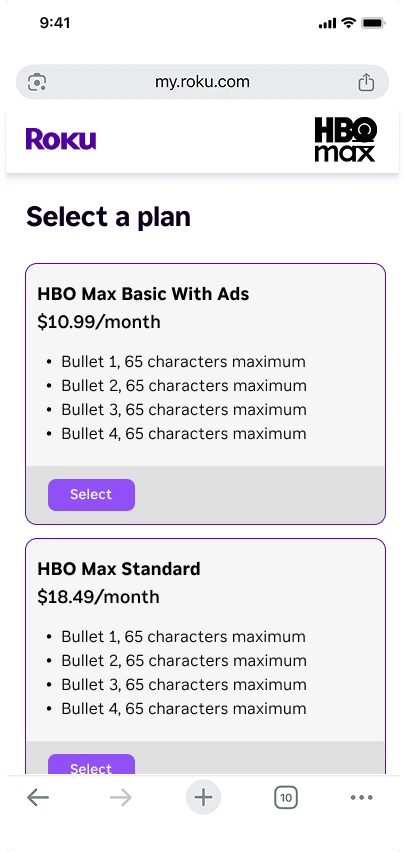
On Google TV: Select Subscribe, then scan the QR code with your phone and finish checking out.
If you don't have a payment method saved to your Roku account, you'll be asked to add one during checkout.

Note: Only Roku Subscriptions play in the Roku App. If you subscribed directly with a streaming service, or subscribed to a service's own app through Roku (like the Peacock app), watch in that service's app instead.
HBO Max, Sling, Disney+ subscriptions
These subscriptions purchased through Roku ask you to create a separate account when you sign up. Use that username and password to sign in on the provider’s website or mobile app, just like you do on your Roku device.
This separate account is managed directly by the provider. Contact the provider if you need help with this account's username or password.
Want to watch offline? Learn about Roku’s offline options on our site. For offline viewing in a provider’s app, please reach out to the provider.
- For help signing in to your Roku account, learn how to recover your email or password.
- To view subscriptions managed by Roku, learn how to view your purchase history.
Howdy
Sign in to howdy.tv to watch, or download the Howdy App in the Google Play or App Store.
Last updated at 11/13/2026 6:40:46 PM
Was this article helpful?
Related articles
Need more help?